
.png)
SoundCloud
Downloader To MP3
Download any SoundCloud Song or
WAV
AAC
FLAC
MP3
Try our SoundCloud Downloader above for free SoundCloud song downloads. Want more features? Try Premium today.

Effortlessly Convert SoundCloud to MP3 with MusicVerter
Introduction
SoundCloud has become a treasure trove for discovering fresh beats and hidden gems from up-and-coming artists. Yet, the streaming-only feature might leave you wanting for those moments when internet access isn't guaranteed. Enter MusicVerter—your go-to SoundCloud to MP3 converter and downloader. Fast, free, and incredibly easy to use, MusicVerter lets you download from SoundCloud and convert tracks into high-quality MP3 files. Whether it’s prepping for a road trip or dodging lousy internet, we've got your soundtrack covered for offline listening.
How to Convert SoundCloud to MP3 with MusicVerter
Converting SoundCloud tracks to MP3 with MusicVerter is as simple as it gets. In just a few steps, you can save your favorite tunes for offline enjoyment, using either a desktop or mobile device.
For Desktop Users
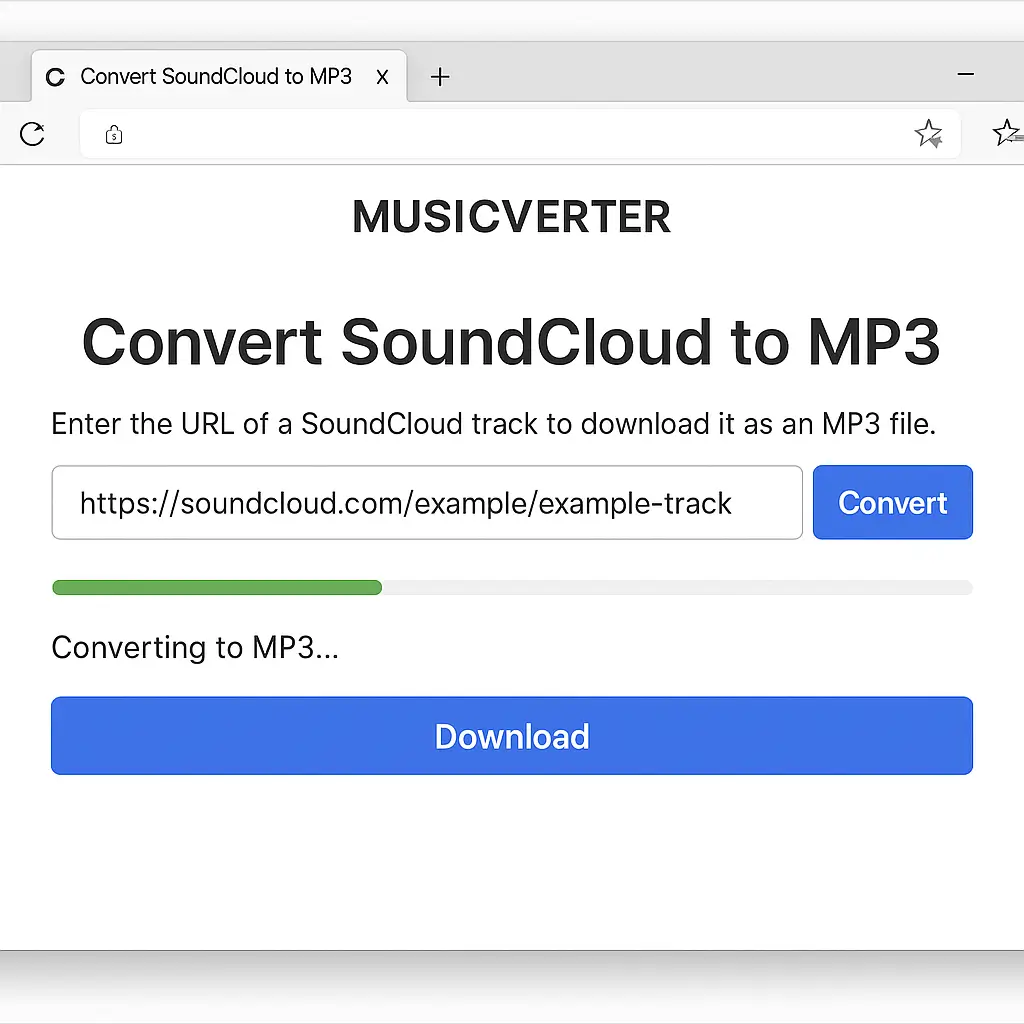
- Access MusicVerter: Fire up your browser and head over to MusicVerter's SoundCloud to MP3 page.
- Copy the SoundCloud URL: Navigate to SoundCloud, locate the track you love, and copy the URL from the address bar.
- Paste the URL: On MusicVerter, paste the copied URL into the provided field.
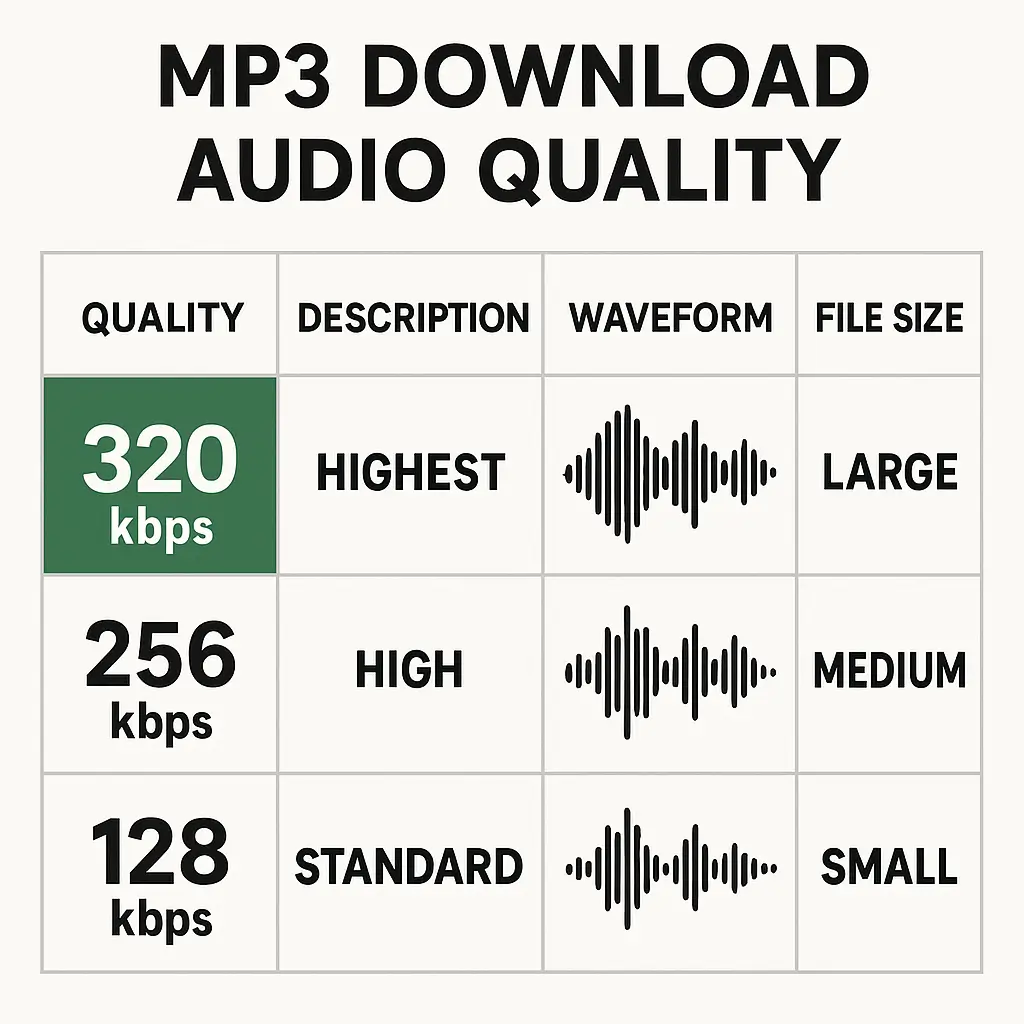
- Select Quality Option: Opt for the quality you want—320kbps provides excellent audio fidelity.
- Convert and Download: Hit the 'Convert' button, and once it’s done, press 'Download' to snag your MP3 file.
For Mobile Users
- Open MusicVerter in a Mobile Browser: Go to MusicVerter's SoundCloud page directly from your mobile device.
- Copy the SoundCloud Track Link: While using the SoundCloud app, share the track link to your clipboard.
- Paste and Convert: Drop the link in MusicVerter, choose your quality, and tap 'Convert.'
- Download Your Track: Tap 'Download' and have your MP3 file ready on your device for offline vibes.
Benefits of Using MusicVerter
Choosing MusicVerter to transform SoundCloud tracks into MP3 files offers several perks that elevate your listening experience:
High-Quality Audio Outputs
MusicVerter ensures top-notch listening by letting you convert tracks to MP3 at 320kbps, keeping the sound as rich as the original.
Legal and Respectful Downloading
MusicVerter encourages ethical downloading, supporting artists by ensuring you respect copyright guidelines. Always verify a track's legal status before downloading.
User-Friendly and Ad-Free Experience
Designed for ease, MusicVerter requires no extra plugins or software. Its clean interface promises a smooth process devoid of annoying ads.
Compatibility Across All Devices
Be it a mobile device or desktop, MusicVerter's MP3s play seamlessly everywhere—be it on your car’s stereo, your smartphone, or your home setup.
Conclusion
In the age of digital streaming, MusicVerter lets you own the tracks beyond the cloud. Easily download and convert SoundCloud songs to MP3s, delivering high-quality sound at your fingertips wherever you may roam. Dive into the convenience of MusicVerter today and experience the freedom of offline music.
FAQs
Q: How do I download songs from SoundCloud?
A: It's a breeze with MusicVerter. Simply grab the URL of the track you want from SoundCloud, paste it into our site, and convert it into an MP3 in no time.
Q: What's the best SoundCloud to MP3 converter?
A: Look no further than MusicVerter. Our tool provides a seamless, ad-free experience and lets you download your tunes at a pristine 320kbps for ultimate sound quality.
Q: Can I convert SoundCloud to MP3 320kbps online?
A: Absolutely! MusicVerter makes the process straightforward and ensures superior audio quality with a user-friendly platform—minus any hassle or additional software.

About the Author


