
.png)
SoundCloud
Downloader To MP3
Download any SoundCloud Song or
WAV
AAC
FLAC
MP3
Try our SoundCloud Downloader above for free SoundCloud song downloads. Want more features? Try Premium today.

How to Effortlessly Convert SoundCloud Tracks to MP3 Using MusicVerter
Introduction
In today's fast-paced world, having instant access to your favorite tunes can make all the difference. Whether you're a music lover, a DJ mixing new tracks, or a content creator seeking fresh sounds, the ability to download from SoundCloud can be a real game changer. By converting SoundCloud music to MP3, you can enjoy your tracks offline, anytime and anywhere. Meet MusicVerter—your go-to tool for converting SoundCloud to MP3 efficiently and without any annoying ads. In this guide, we'll walk you through the simple process of downloading SoundCloud songs with MusicVerter, ensuring you get the best audio quality and user experience possible. 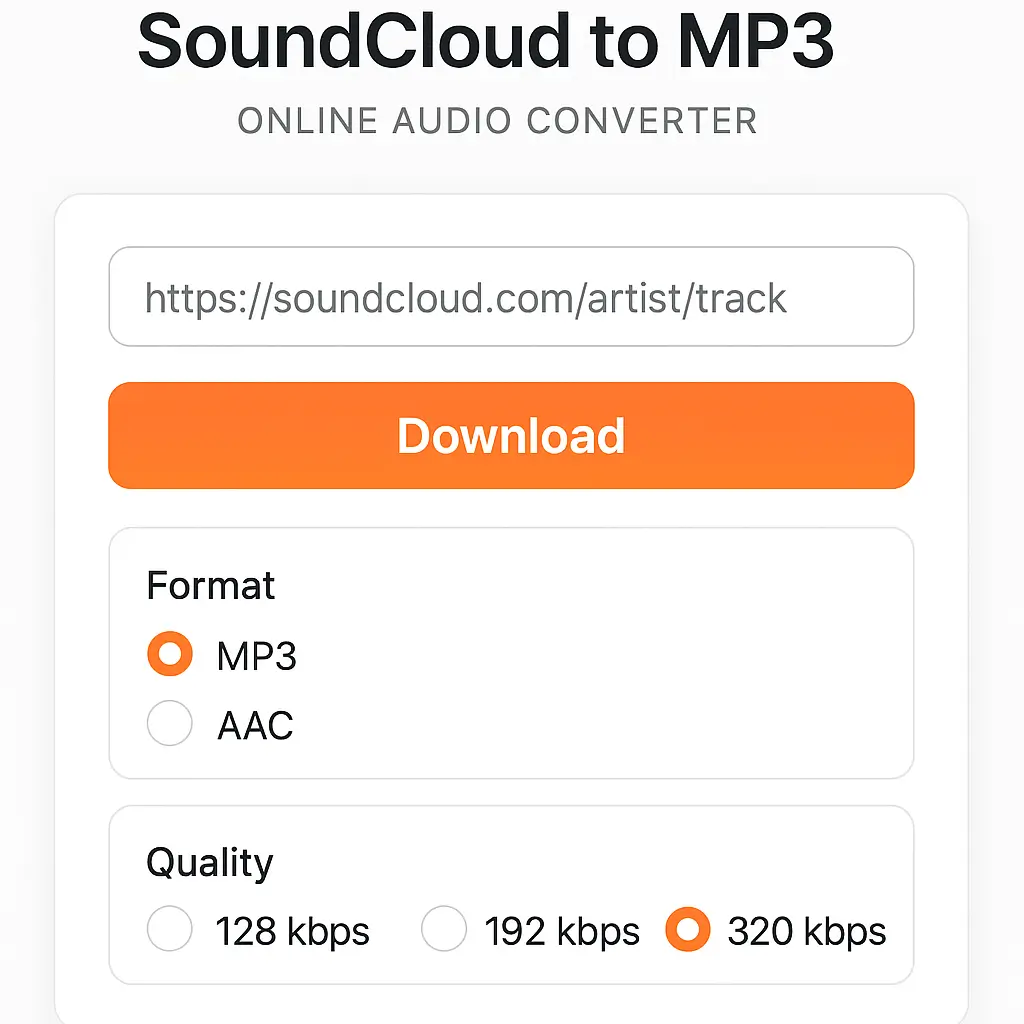
How to Download SoundCloud Songs with MusicVerter
Getting your favorite SoundCloud tracks onto your device is a breeze with MusicVerter. Here's how to do it:
Desktop Instructions:
Visit SoundCloud and Select the Track:
Head to SoundCloud and find the song or playlist you’re eager to download.Copy the URL:
Once you have your chosen track, grab the URL from the address bar.Access MusicVerter:
Open up a new browser tab and visit MusicVerter's SoundCloud to MP3 converter.Paste the URL:
Insert the copied SoundCloud link into MusicVerter's conversion field.Start Conversion:
Hit the “Convert” button, and let MusicVerter do its magic, delivering a high-quality MP3 file at 320kbps. ![SoundCloud Downloader]()Download and Enjoy:
After conversion, simply download the MP3 to your device and enjoy your music offline whenever you like.
Mobile Instructions:
Open SoundCloud App:
Use your SoundCloud app to locate the song you want.Copy the Track’s Link:
Use the app's share function to copy the track's URL.Use MusicVerter on Mobile:
Go to MusicVerter through your mobile browser.Paste and Convert:
Paste the link into the converter, tap "Convert," and your downloadable MP3 is ready.
No matter what device you're using, MusicVerter makes downloading from SoundCloud easy and straightforward.
Benefits of Using MusicVerter
What sets MusicVerter apart as the top choice for SoundCloud to MP3 conversion? Here’s why it’s simply the best:
High Audio Quality (320kbps):
Enjoy crystal-clear audio quality at 320kbps without any compromise on sound.Ad-Free Experience:
Say goodbye to interruptions from pesky ads with MusicVerter's clean and efficient platform.User-Friendly Interface:
With a design focused on simplicity, anyone can convert tracks easily and quickly.Metadata Preservation:
Keep all your track info intact, from artist names to cover art, ensuring your library stays neat.Batch Download Capability:
Download full playlists in one go, perfect for long trips or commutes where continuous playback is key.
These features make MusicVerter the perfect tool for downloading and enjoying your favorite SoundCloud music offline.
Conclusion
Ready to elevate your music experience? MusicVerter provides a seamless, high-quality solution for converting your beloved SoundCloud tracks into MP3s. Whether you're on a bustling subway or enjoy quiet time at home, MusicVerter allows limitless downloading so your favorite music is always ready to play. Give our SoundCloud to MP3 converter a try and discover a world of musical freedom with unmatched sound quality—all courtesy of MusicVerter. 
FAQs
Q: How to download songs from SoundCloud?
A: It's simple with MusicVerter—just copy the song's URL, paste it into our converter, and click convert to download your MP3.
Q: What is the best SoundCloud to MP3 tool?
A: MusicVerter is your best bet for converting SoundCloud to MP3, thanks to its top-notch 320kbps audio output, ad-free user experience, and easy navigation.
Q: Can I convert SoundCloud to MP3 320kbps online?
A: Absolutely! MusicVerter allows you to convert SoundCloud tracks into high-quality 320kbps MP3s online for an outstanding listening experience.

About the Author


