
.png)
SoundCloud
Downloader To MP3
Download any SoundCloud Song or
WAV
AAC
FLAC
MP3
Try our SoundCloud Downloader above for free SoundCloud song downloads. Want more features? Try Premium today.

The Essential Guide to Downloading from SoundCloud: Expert Tips and Tools
Introduction
SoundCloud is a treasure trove for music lovers, offering tracks from a diverse range of artists across the globe. But what do you do when you want to enjoy your favorite tracks offline, and there’s no download button in sight? This guide is here to help. We'll explore how to download music from SoundCloud using a SoundCloud downloader, a SoundCloud to MP3 converter, or even audio recording software. By the end, you'll know exactly how to enhance your music experience while respecting the rights of talented creators.

When Direct Downloads Are Available
Sometimes, downloading a track from SoundCloud is as easy as clicking a button. That's because some generous artists make their music available for direct download.
- Spotting the Download Button: Check under the track for a download button. If it's there, simply click it to download the song in its original format to your computer.
If you can't find this button, it means you'll need to explore other avenues, like using a SoundCloud downloader or converter.
Exploring SoundCloud Downloader Tools
For tracks without a direct download option, third-party tools are your friends.
- Step-by-Step Guide to Convert URL to MP3:
- Pick Your Track: Go to the SoundCloud track you want to download.
- Copy the URL: Grab the track’s URL from the browser's address bar.
- Select a SoundCloud Downloader: Opt for a reputable tool. Consider Musicverter for smooth operations.
- Paste the URL: Drop the copied URL into the downloader tool’s input box.
- Convert and Download: Hit "Convert" to transform the track to MP3. Once conversion is done, download the file to your PC. You often can choose the quality, like MP3 320kbps.
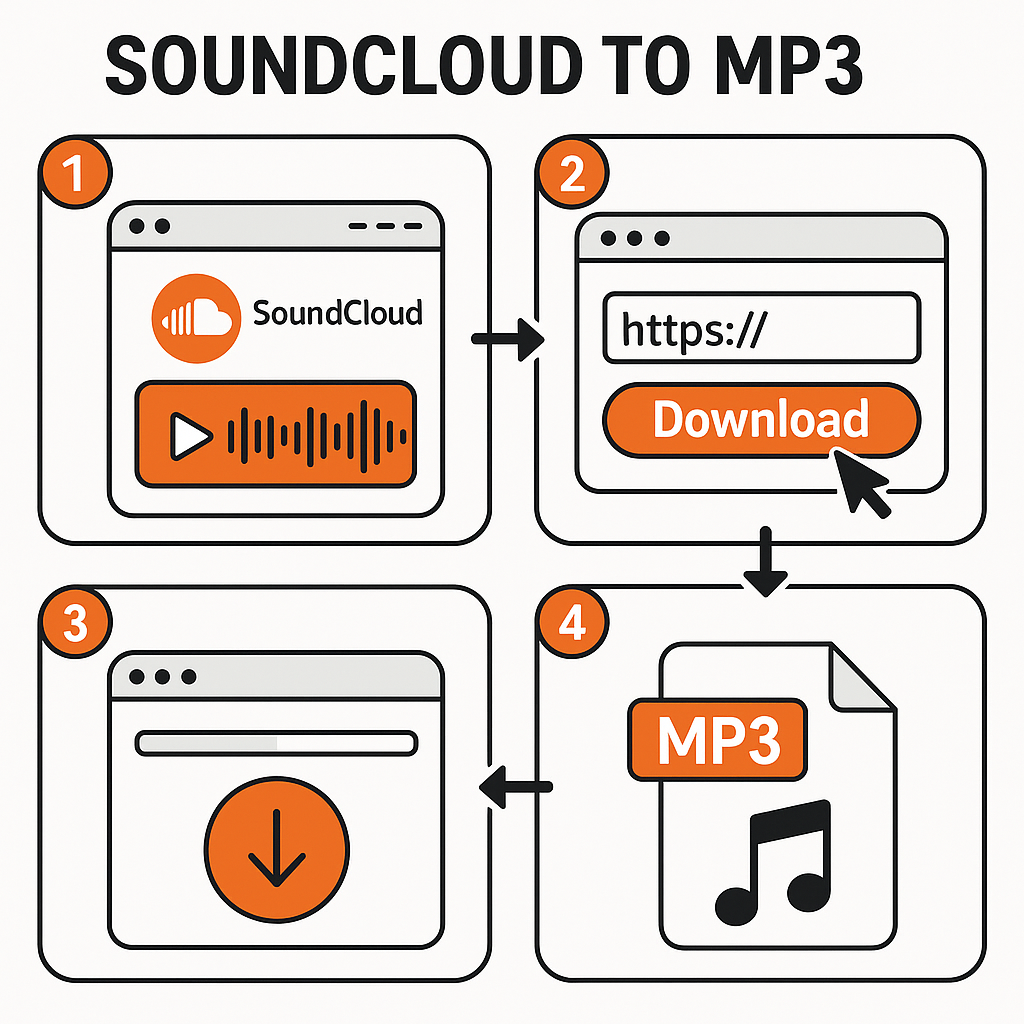
Musicverter's SoundCloud to MP3 converter makes the whole process straightforward, providing quality at your fingertips.
Using Audio Recording Software as an Alternative
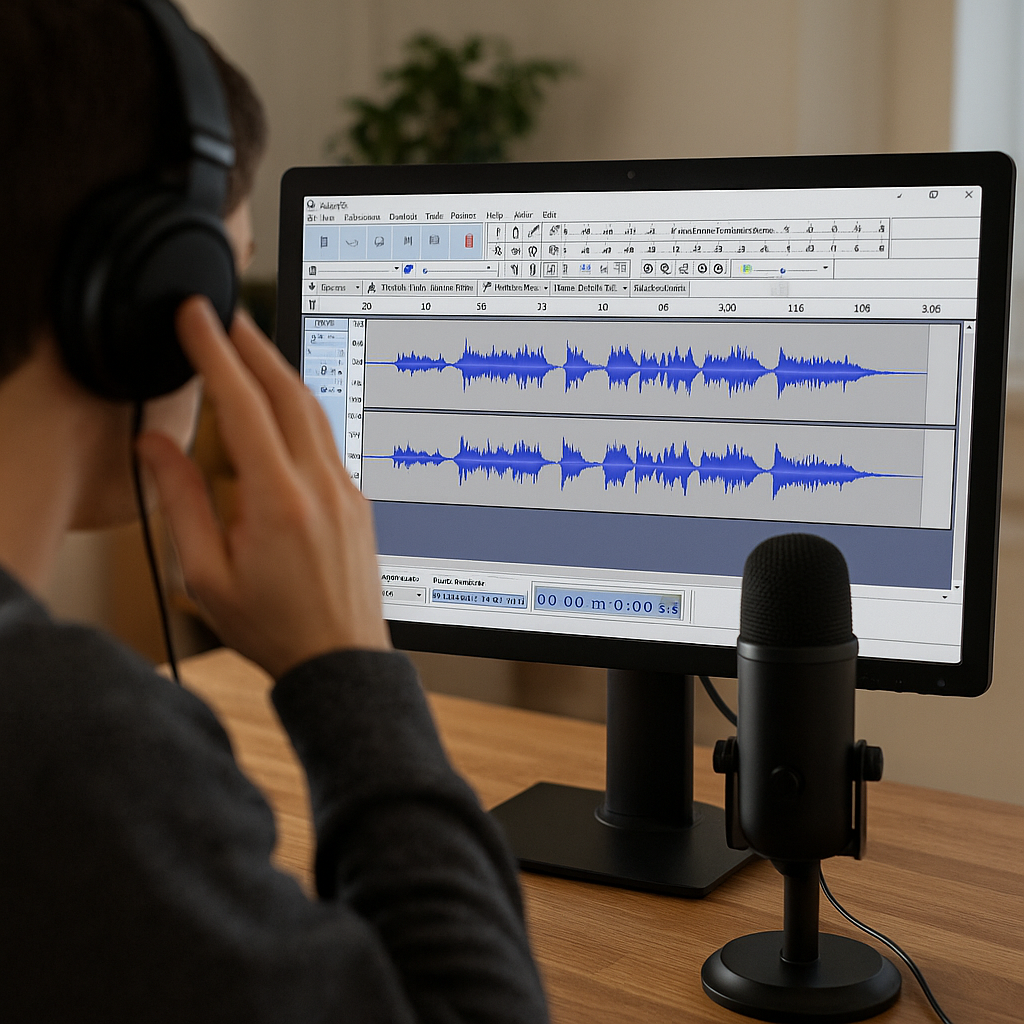
Should downloader tools not fit your needs, try audio recording software.
- Recording Options and Formats: Programs like Audacity can capture any sound playing on your computer. By setting the input to "Stereo Mix," you can record high-quality audio as it’s playing.
This hands-on approach works well for live sets or tracks otherwise hard to capture, giving you multiple format options like MP3 and WAV.
Ethical Considerations and Legal Guidelines
Remember, downloading tracks without consent can violate artist copyrights. It’s important to:
- Only download tracks that artists have permitted for personal use.
- Steer clear of using downloaded tracks for redistribution or commercial purposes.
- Support artists whenever possible by purchasing their music from official outlets.
Being ethical in your downloading habits ensures artists continue to benefit from their creativity.
Conclusion & Call-to-Action
Whether through direct download, a SoundCloud downloader, or audio software, downloading from SoundCloud can vastly enrich your listening experience. Always focus on ethical consumption to support your favorite artists. For a seamless conversion process, try Musicverter's SoundCloud Playlist Downloader and take your music downloads to the next level.
FAQs
Q: How do I download songs from SoundCloud?
A: If a track is available for direct download, you’ll see a download button. If not, use a SoundCloud downloader by pasting the track URL into the tool to convert and download as an MP3.
Q: What's the best SoundCloud to MP3 converter?
A: Musicverter stands out as a top-notch SoundCloud to MP3 converter due to its ease of use and high-quality results.
Q: Can I convert SoundCloud to MP3 320kbps online?
A: Absolutely, Musicverter allows you to convert SoundCloud tracks to MP3 with 320kbps quality, ensuring top-notch audio clarity.

About the Author


