
.png)
SoundCloud
Downloader To MP3
Download any SoundCloud Song or
WAV
AAC
FLAC
MP3
Try our SoundCloud Downloader above for free SoundCloud song downloads. Want more features? Try Premium today.

How to Easily Convert SoundCloud Songs to MP3
Introduction
Are you a music lover constantly exploring the vast collection of over 320 million tracks on SoundCloud? It's an amazing platform featuring fresh tunes from talented artists and DJs, but let's face it—taking this music offline isn’t always straightforward. Due to licensing policies, not every song is up for direct download. This is why SoundCloud Downloader tools and converters have grown in popularity. In this guide, we’re diving into how you can convert SoundCloud tracks to MP3 for offline enjoyment, all while respecting artist rights.
Understanding SoundCloud Downloads
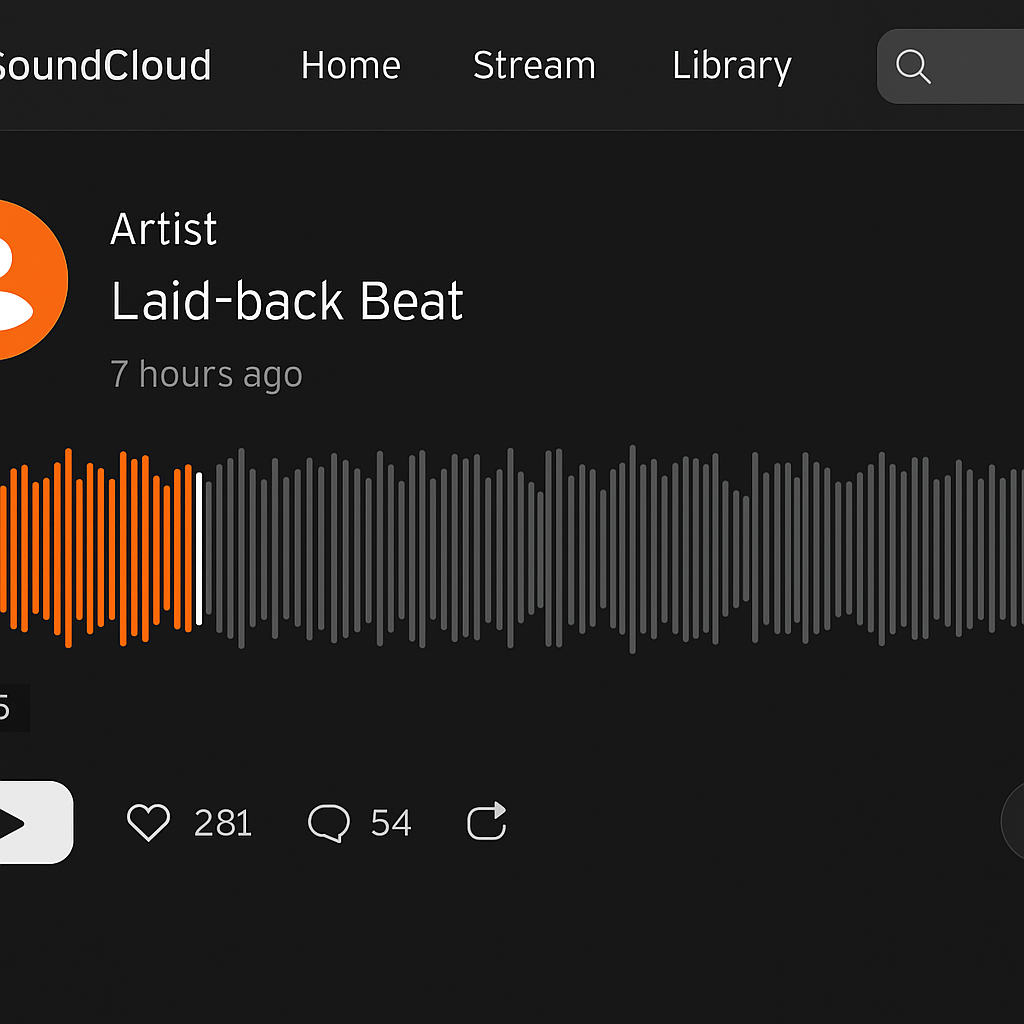
The ability to download music from SoundCloud comes with its own set of rules. While some tracks can be downloaded directly—thanks to creator settings—not all have this option. Here’s what you should know:
- Look for a Download Button: If visible, it’s a sure sign you can download directly.
- Follow the Permissions: Remember to check the track's permissions—respecting artists is a must!
- Choose Approved Methods: Opt for methods that adhere to SoundCloud’s guidelines to keep everything above board.
Top Tools for Conversion
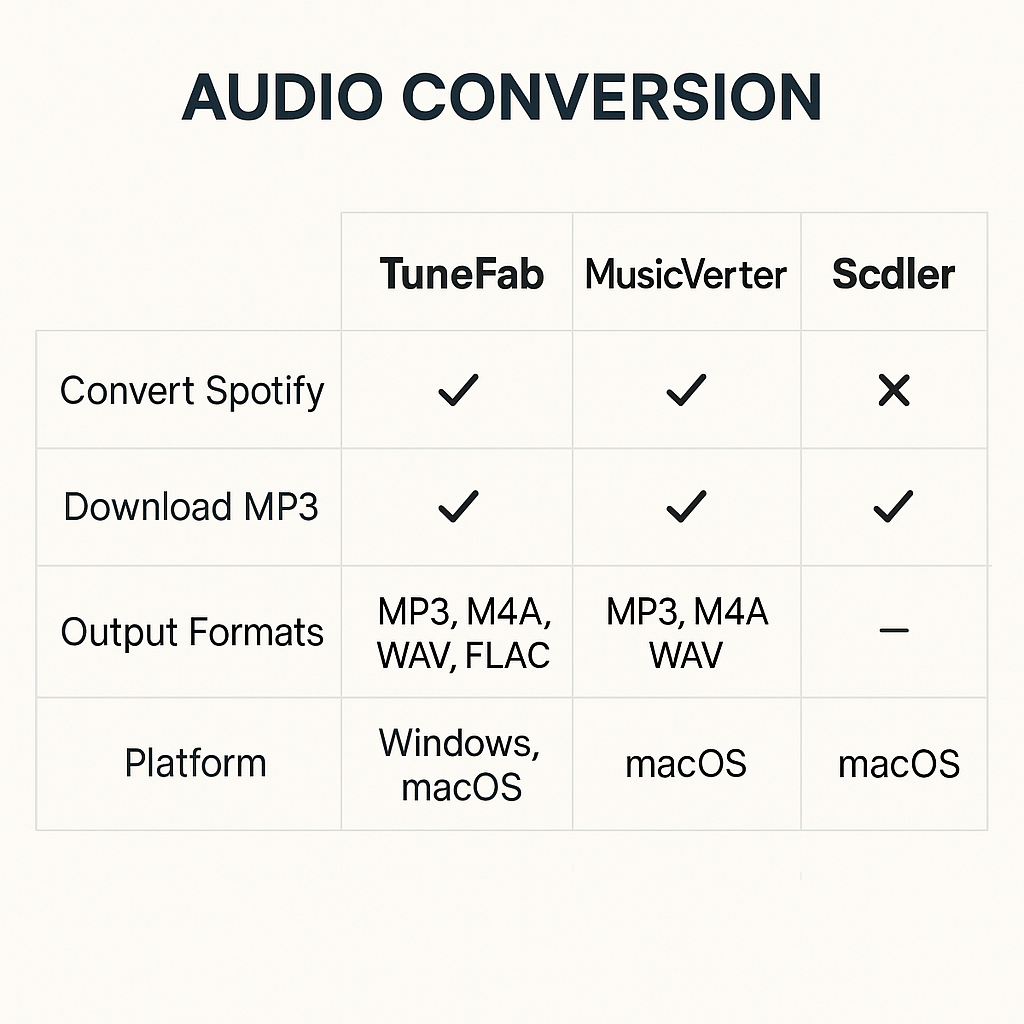
If you’re looking to convert SoundCloud tracks to MP3, there are several standout tools. Let's break down TuneFab, MusicVerter, and Scdler by their features and ease of use:
- TuneFab: Great for converting in bulk and up to 320kbps audio quality. It’s perfect for those needing high efficiency and quality.
- MusicVerter: An online tool that's as simple as copy-and-paste, with no hassle of downloads or installations.
- Scdler: Focuses on legal compliance while preserving high sound quality.
Each option delivers what different users might prioritize, from speed and quality to legal checks.
Step-by-Step Guide
Here's how you can convert SoundCloud tracks to MP3 using different tools:
- Using TuneFab:
- Download and set up TuneFab on your device.
- Head to the SoundCloud conversion feature.
- Paste your track's URL from SoundCloud.
- Select the quality you want and hit convert.
- Using MusicVerter:
- Go to MusicVerter’s SoundCloud to MP3 section.
- Enter your SoundCloud track URL.
- Click 'Convert' and download your MP3. It’s that easy.
- Using Scdler:
- Install Scdler from its official website.
- Enter the SoundCloud track URL.
- Pick your desired quality and convert.
Considerations for Quality and Device Compatibility
When converting, keep these points in mind:
- Quality Matters: The converted MP3’s quality heavily relies on what’s originally available on SoundCloud.
- Bitrate Options: Converting up to 320kbps is possible with tools like TuneFab for superior sound.
- Device Friendly: Ensure compatibility of MP3 files with your devices—MP3s are generally universally accepted.

Conclusion
Converting SoundCloud tracks to MP3 can take your listening experience to the next level, keeping your playlist fresh and offline-ready, without infringing copyrights. Tools like MusicVerter offer a straightforward, legal path to do this—helping you dive into your favorite tracks anywhere. Ready to give it a try? Check out MusicVerter’s online downloader and start expanding your music library today!
FAQs
Q: How do I download songs from SoundCloud?
A: To download songs, use tools like TuneFab or MusicVerter online converters, ensuring the track allows downloading through its permissions.
Q: What's the best SoundCloud to MP3 converter?
A: MusicVerter is ideal for its easy, seamless online conversion without the need for software installations.
Q: Can I convert SoundCloud to MP3 320kbps online?
A: Absolutely, TuneFab allows conversion up to 320kbps, keeping auditory quality intact.

About the Author


