
.png)
SoundCloud
Downloader To MP3
Download any SoundCloud Song or
WAV
AAC
FLAC
MP3
Try our SoundCloud Downloader above for free SoundCloud song downloads. Want more features? Try Premium today.

Mastering the Art of Downloading SoundCloud Playlists in ZIP Format
Introduction
Ever wanted to have your favorite SoundCloud playlists wrapped up in a neat little package for easy access anytime, anywhere? Thanks to "downloadsound.cloud," grabbing all those tracks in a tidy zip file has never been easier. Whether you're a DJ seeking the perfect setlist or a music fan who enjoys offline listening, this guide will show you how to streamline the process of downloading and converting SoundCloud playlists into MP3. Perfect for remixers or anyone looking to archive their favorite sounds, you'll find this information invaluable.
Why Download SoundCloud Playlists?
For anyone passionate about music, having the ability to download SoundCloud playlists is a game-changer. DJs can build seamless setlists, while music lovers can enjoy their tracks without needing an internet connection. Converting these playlists to MP3 format ensures they're compatible with virtually any device, so integration is swift and smooth. With downloadsound.cloud, you can make this process swift and simple, enhancing how you curate and enjoy your music collection. Never again get caught without your favorite tunes when you need them most.
Step-by-Step Guide to Using downloadsound.cloud
Ready to download SoundCloud playlists like a pro? Here's how to make it happen with downloadsound.cloud:
- Visit downloadsound.cloud: Open the website to kickstart your downloading adventure.
- Find the Playlist URL: Head over to SoundCloud, locate the playlist you want, and copy its URL.
- Paste the URL: Enter the URL into the designated spot on the downloadsound.cloud main page.
- Select Your Format: Choose MP3 or your preferred format for the download.
- Start the Download: Hit the download button, and watch your chosen playlist transform into a zip file on your device.
For visual learners, utilizing screenshots or video guides can offer that extra layer of clarity, ensuring each step is a breeze.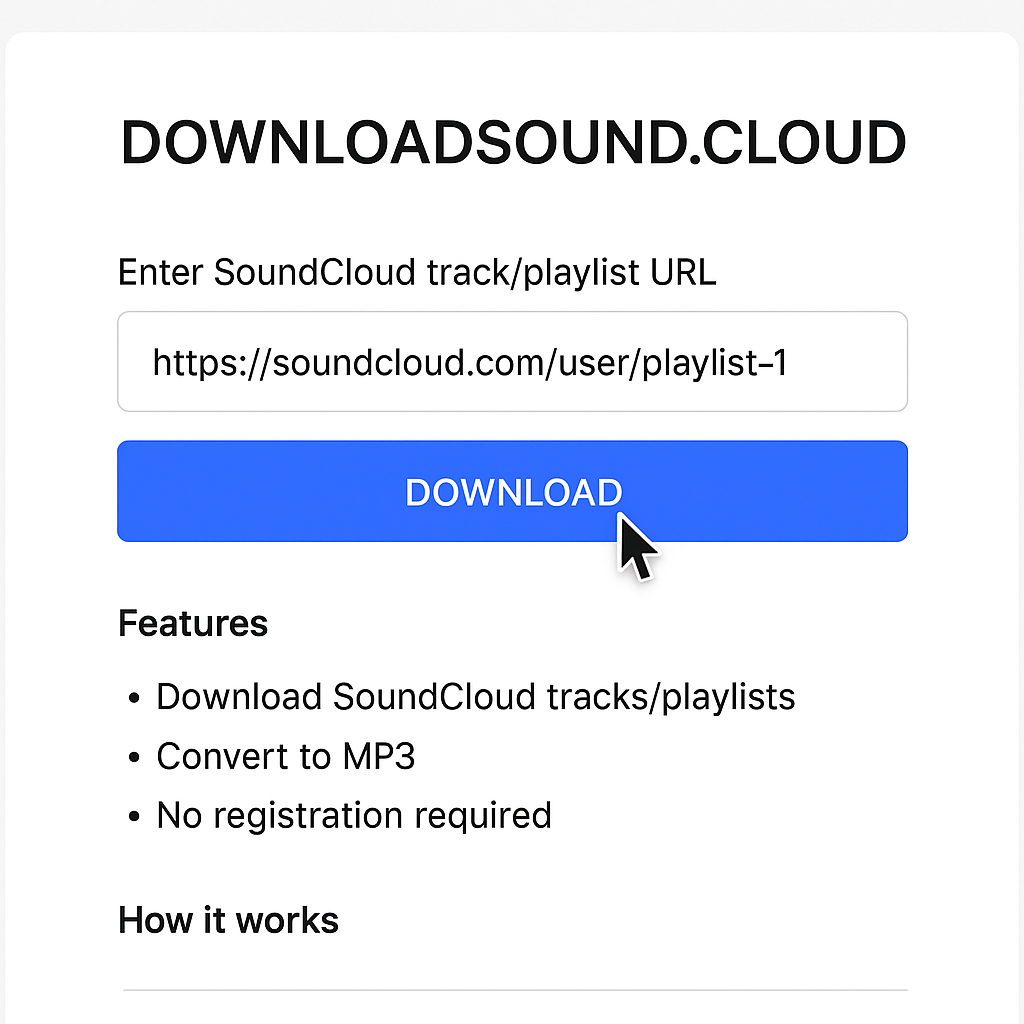
Comparison of SoundCloud Download Tools
There are many tools out there promising easier downloads from SoundCloud, but downloadsound.cloud is in a league of its own. Here's what makes it shine:
- Efficiency: Don't waste time downloading track by track—grab them all at once.
- Quality: Keeps the music sounding just the way the artist intended.
- Convenience: Say goodbye to reorganizing your music post-download.
These features make downloadsound.cloud an indispensable resource for anyone serious about managing their music with ease.
Conclusion
In conclusion, downloadsound.cloud is the savvy choice for those who want to download SoundCloud playlists quickly and effectively. By bundling your music into a single zip file, it eliminates hassle and ensures you spend more time enjoying music instead of managing it. Perfect for DJs, producers, or any music fanatic, this strategy enhances your overall playlist management experience and keeps you grooving to your favorite beats.
FAQs
Q: How do I download songs from SoundCloud?
A: It's easy! Just use downloadsound.cloud and paste the track URL to grab your favorite song as an MP3.
Q: What's the best SoundCloud to MP3 converter?
A: downloadsound.cloud stands out for its ability to download entire playlists in a zip format, making it a top choice for SoundCloud to MP3 conversions.
Q: Can I convert SoundCloud to MP3 320kbps online?
A: Absolutely! downloadsound.cloud makes it simple to download your SoundCloud playlists in high-quality MP3 320kbps.
With downloadsound.cloud, managing and downloading your SoundCloud playlists becomes a seamless part of experiencing and enjoying music. Dive into the comment section or join us on social media to share your experiences or tips on using this fantastic tool.

About the Author


