

SoundCloud Downloader for DJs: 7 Steps to a Practice Crate
Download any SoundCloud Song or
WAV
AAC
FLAC
MP3
Try our SoundCloud Downloader above for free SoundCloud song downloads. Want more features? Try Premium today.

Why DJs Look for a SoundCloud Downloader
If you dig for music on SoundCloud, you already know the feeling. You find an edit or a bootleg remix at 1 a.m., you play it ten times, and you want it in your practice crate before you forget the name. A SoundCloud downloader for DJs like MusicVerter helps with exactly that moment. It's a browser tool, so you paste a track link, convert the audio, and save a file to your laptop without installing anything.
This guide is about building a practice crate the smart way. You'll learn what SoundCloud offers officially, where MusicVerter fits in, and seven steps to go from a saved link to a track you can actually mix at home. It covers the tracks you're allowed to save, like your own uploads, artist-approved downloads, and audio a creator has said you can keep. It isn't a way around private, restricted, or blocked content, and it won't replace buying the music you plan to play out.

SoundCloud Downloader for DJs vs. Official SoundCloud Options
Before you save anything, it helps to know the three routes DJs use, because they don't do the same job.
The official Download button
Some uploaders switch on downloads for a track. When they do, you'll see a download option on the track page on the web once you're signed in. This gives you the file the artist uploaded, which might be an MP3, a WAV, or another format. If the option isn't there, the uploader didn't make that track available for official download. Many producers also put a "free download" link in the description that leads to a gate, where you follow, like, or leave an email in exchange for the file.
SoundCloud Go+ and SoundCloud DJ
SoundCloud's own subscriptions connect to a list of supported DJ apps. According to SoundCloud's help center, Go+ lets you stream the catalog inside those apps while you're online, and the SoundCloud DJ plan adds offline saves in a smaller set of apps. SoundCloud also says these plans are for practice, home, and private use, and that streamed tracks can't be used for club or venue performances. The offline copies stay inside the app too, so you don't get a file you can move to a USB drive.
A browser SoundCloud downloader for DJs
This is where MusicVerter comes in. You paste a public track URL, convert it to MP3, and download a regular audio file. That's handy when you need a portable file for practice, when you want an MP3 version of your own upload, or when an artist has told you it's fine to keep a copy. The file is yours to tag, sort, and load into whatever software you practice with.
7 Steps: Build a Practice Crate With a SoundCloud Downloader for DJs
Here's the workflow that keeps things tidy, so your crate stays useful instead of turning into a folder called "new new FINAL."
1. Collect links in one SoundCloud playlist
Don't save tracks the moment you hear them. Drop them into a private "To Practice" playlist on SoundCloud first. Once a week, go through it and keep only the tracks you'd actually try in a mix. It saves time and disk space, and it makes the next steps faster.
2. Check each track's download options
Open each track's own page, not the repost or the playlist view. Look for an official download or a free download link in the description. If the artist offers one, use it, since that's often the original file. If you're working with your own uploads or a track the artist has okayed, move on to the next step.
3. Paste the link into MusicVerter
Copy the track URL from the Share menu or the address bar. Open the SoundCloud to MP3 page, paste the link, and start the conversion. It runs in your browser on Windows, Mac, Chromebook, iPhone, or Android, so there's no app to install or update. When it finishes, download the MP3 to your computer.
4. Save whole sets of tracks at once
If you've built a playlist of tracks you're allowed to save, such as your own releases or a pack of edits an artist shared, you don't have to go one by one. The SoundCloud playlist downloader handles a playlist link, so the whole batch lands on your machine together.
5. Rename and tag every file
This is the step most people skip, and it's the one that saves you mid-mix. Rename files to a simple pattern like "Artist - Title (Edit Name)". Then fill in the artist, title, and genre tags. If a track is a remix or bootleg, put the remixer's name in the title so you can find it later. Clean tags make search inside your DJ software instant.
6. Sort into folders by energy, not just genre
Genre folders get messy fast because so many SoundCloud edits blur lines. Try sorting by role in a set instead: warm-up, builders, peak time, and closers. You can still keep a genre tag in the file. When you practice, you'll grab tracks by the job they do, which is how you'll pick them in a real set.
7. Import, analyze, and listen through
Import the folder into your DJ software, let it analyze BPM and key, and check the beatgrid. Then actually listen to each track from start to finish at the volume you practice at. Some uploads have quiet intros, clipped peaks, or a long ambient outro. You want to know that now, not during a transition.
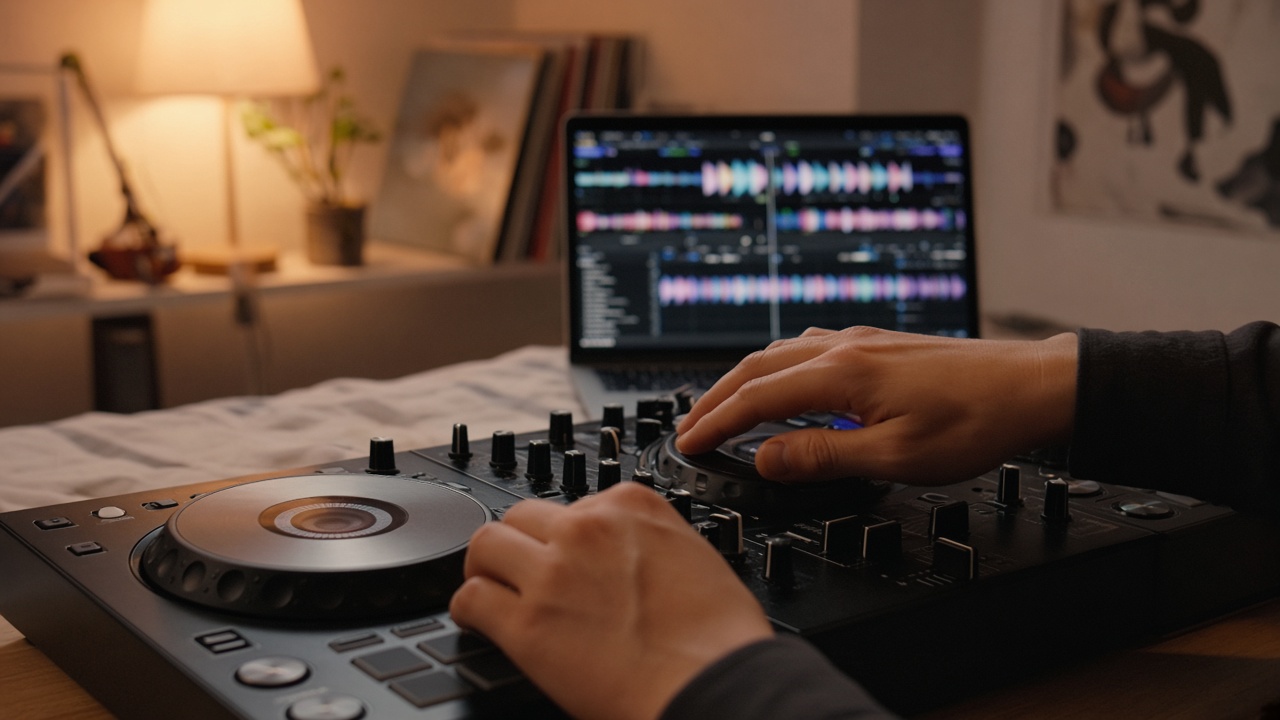
Getting the Best Sound From a SoundCloud Downloader for DJs
Audio quality matters more for DJs than for casual listeners, because you're playing tracks back to back and small differences stand out. A few things to keep in mind:
- The source sets the ceiling. A converted file can only be as good as the audio SoundCloud streams. Converting to a different format doesn't add detail that wasn't there.
- Prefer the original when it's offered. If the artist enabled an official download, that file is usually the best version you can get.
- Use your ears and your meters. Compare a converted track to others in your crate. If one sounds noticeably dull or thin, mark it as practice-only and look for a purchased copy.
- Keep levels consistent. Use your software's auto gain or set trims while you practice, so a quiet track doesn't throw off your mix.
Using a SoundCloud Downloader for DJs Responsibly
A practice crate is for practice. It's a place to learn tracks, test transitions, and figure out what works together. When you're booked to play out, the rules change, and SoundCloud is clear that its streaming plans aren't meant for club or venue performances.
A few habits keep you on the right side of things and keep artists happy:
- Only save tracks you have permission to save, like your own uploads, artist-approved downloads, or audio a creator has explicitly shared.
- Buy the tracks you love and plan to play in public. It supports the producers you're digging for.
- Don't re-upload or share converted files. Keep them on your own devices.
- If you're unsure whether a track is okay to keep, message the artist. Plenty of SoundCloud producers are happy to send a file to a DJ who asks.
Rules about performing music in public vary by country and venue, so check with the venue or event organizer before a gig.
Troubleshooting Your SoundCloud Downloader for DJs Workflow
The link won't convert
Make sure you copied the track's full URL, not a shortened share link that redirects somewhere else, or a link to a profile. Private and restricted tracks won't work, and that's by design. If a public track still fails, refresh the page and try again a bit later.
The file name is a mess
SoundCloud titles often include emojis, "FREE DL," or a label tag. Rename the file before you import it. It takes ten seconds per track and saves a lot of scrolling.
The BPM looks wrong
Analysis sometimes reads half or double time, especially on drum and bass or trap edits. Check the grid by ear and adjust it once. Your software will remember it next time.
The track is too long
DJ edits sometimes come with long intros made for a specific set. Set a cue point where the usable part starts so you don't have to hunt for it mid-practice.
Start Your Crate With MusicVerter
A good practice crate makes you a better DJ. You learn tracks faster, you try more combinations, and you show up to the decks already knowing what works. MusicVerter keeps the saving part simple. It's a browser tool, so there's nothing to install, and it works the same on your laptop and your phone.
Use the SoundCloud to MP3 converter for single tracks you're allowed to keep, and the SoundCloud playlist downloader when you want a whole playlist of your own uploads or shared edits in one go. Then tag, sort, and practice.
SoundCloud Downloader for DJs: FAQ
Is MusicVerter an app I need to install?
No. MusicVerter is a browser tool. You open it in any modern browser on desktop or mobile, paste a SoundCloud link, and download the MP3.
Can I use SoundCloud Go+ tracks offline in my DJ software?
According to SoundCloud's help center, Go+ streams tracks in supported DJ apps while you're online. Offline playback in DJ apps comes with the SoundCloud DJ plan, and only in some supported apps. Those offline copies stay inside the app.
Can I download tracks from private SoundCloud links?
No. MusicVerter is for public tracks you're allowed to save. It doesn't get around private, restricted, or blocked content.
Can I download a whole SoundCloud playlist for my crate?
Yes, for playlists of tracks you have permission to save. Use the SoundCloud playlist downloader and paste the playlist link.
Can I play converted SoundCloud tracks at a gig?
Treat converted files as practice material. For public gigs, use tracks you've bought or that the artist has cleared you to play, and check the venue's rules where you're performing.
What's the best way to organize a DJ practice crate?
Rename files to "Artist - Title," fill in the tags, and sort folders by the role each track plays in a set, such as warm-up, peak time, and closers. Then analyze and listen through every track before you rely on it.

About the Author


