

SoundCloud to MP3 for Workouts: 7 Steps to an Offline Gym Mix
Download any SoundCloud Song or
WAV
AAC
FLAC
MP3
Try our SoundCloud Downloader above for free SoundCloud song downloads. Want more features? Try Premium today.
Why Use SoundCloud to MP3 for Workouts?
You're halfway through a set of squats, the gym's basement Wi-Fi drops, and your playlist freezes on a spinning wheel. The energy you built over the last ten minutes is gone. Anyone who trains in a basement gym, on a trail, or in a spin studio with patchy signal knows this moment. Turning SoundCloud to MP3 for workouts fixes it, because a file stored on your phone keeps playing whether you have five bars or none. MusicVerter is a browser tool that converts public SoundCloud tracks into MP3 files, so you can build a workout mix without installing anything.
SoundCloud is a great place to find gym music. It's full of high-energy remixes, long DJ sets, and edits from small producers that never show up on big streaming services. This guide walks you through seven steps to build an offline gym mix with MusicVerter, from picking tracks to loading them on your phone or watch. It covers tracks you're allowed to save, like artist-approved downloads, your own uploads, and audio a creator has said you can keep. It isn't a way around private, restricted, or blocked content.

SoundCloud to MP3 for Workouts vs. Streaming in the App
Before you start saving files, it helps to know what SoundCloud already offers, because the right option depends on how you train.
Offline listening with SoundCloud Go and Go+
SoundCloud's paid plans include offline playback. According to SoundCloud's Help Center, you add tracks to your Likes or a playlist and then tap the download arrow to save them for offline listening in the mobile app. That works well if you only ever listen through the SoundCloud app. There are trade-offs, though. Offline tracks stay inside the app, so you can't move them to a different music player or a class sound system. SoundCloud also notes that signing out or uninstalling the app removes your saved content, and rights holders decide whether a track can be saved offline at all.
The artist's Download button
Some producers switch on downloads for their tracks. When they do, you'll see a download option on the track page on the web. Many also put a "free download" link in the description. If the artist offers a file, take it. It's the cleanest route and it supports the creator directly.
MP3 files from a SoundCloud downloader
A SoundCloud to MP3 file is just a regular audio file. It plays in your phone's music app, in most fitness watch apps that accept local music, in a car, or through a speaker at the front of a class. You don't need an internet connection or a signed-in account to play it. For workouts, that flexibility is the main reason people go this way.
7 Steps to Build an Offline Gym Mix with SoundCloud to MP3
Here's the full process, from a blank playlist to a mix that's ready before you leave the house.
Step 1: Plan your SoundCloud workout mix by phase
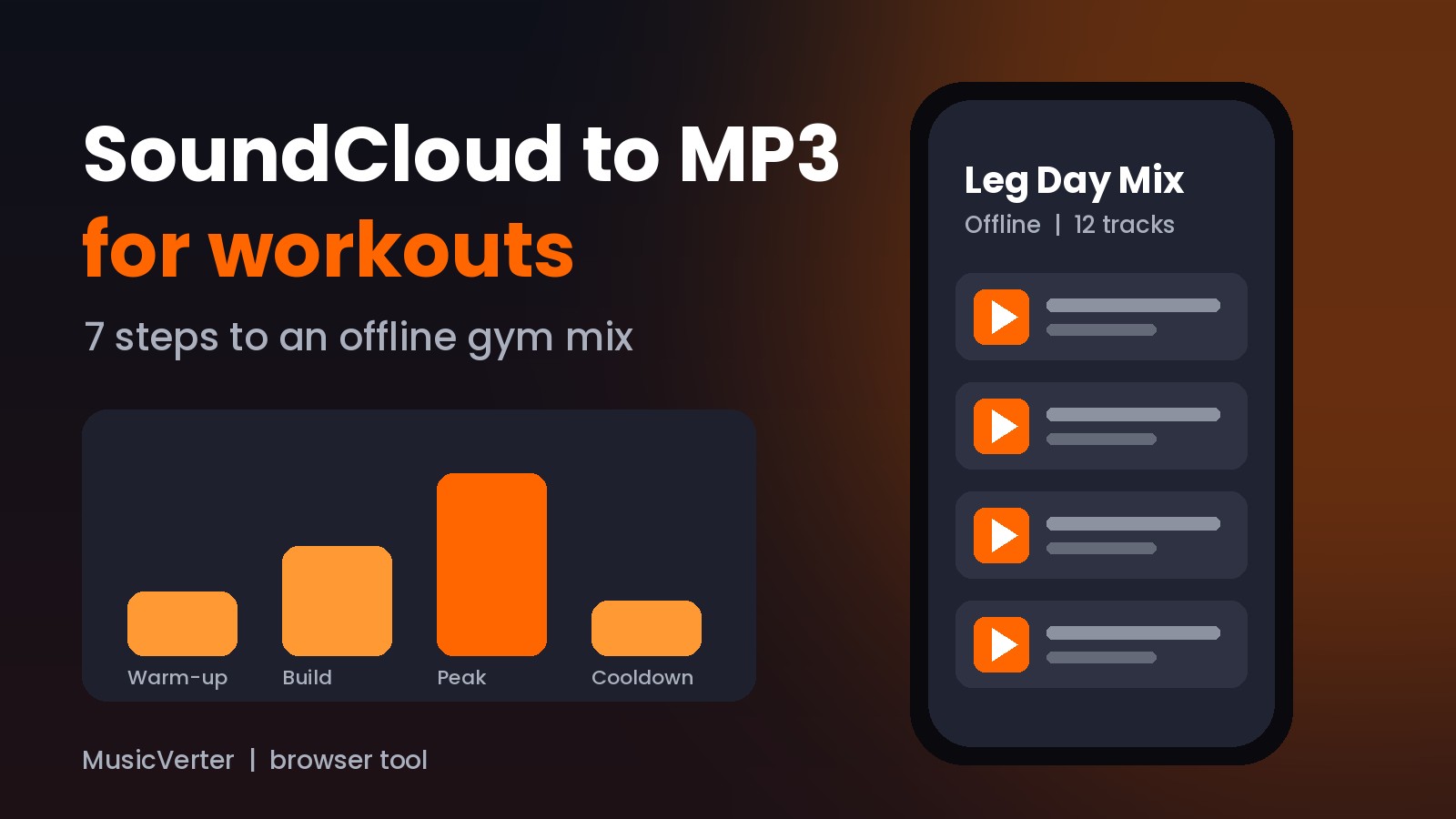
A good workout mix has a shape. Think of it in four parts: a warm-up, a build, a peak, and a cooldown. Write down roughly how long each part of your session lasts. A 45-minute strength session might be 8 minutes of warm-up, 30 minutes of lifting, and 7 minutes of stretching. Knowing this tells you how many tracks you need in each part and stops you from saving 60 songs you'll never reach.
Step 2: Find SoundCloud tracks that match your pace
Search SoundCloud for terms like "running mix," "gym edit," or the genre you train to. Pay attention to tempo. Many runners like music close to their step rate, while lifters often want heavy, slower beats with big drops. Save the links you like to a SoundCloud playlist of your own first. That way you can listen through and cut weak tracks before converting anything.
Step 3: Check that each track is one you can save
Open each track and look for the artist's own download option or a free download link. If there's one, use it. If the track is your own upload, or the creator has said you're welcome to keep it, you're fine to convert it. Skip anything private, region-limited, or marked as a protected release. A quick check now saves you from a half-finished playlist later.

Step 4: Convert SoundCloud to MP3 for workouts in your browser
Copy the track's full link from your browser's address bar. Open the MusicVerter SoundCloud to MP3 page, paste the link, and start the conversion. When the file is ready, save it. Because MusicVerter runs in the browser, this works the same way on a laptop, a Chromebook, or a phone. Long DJ sets take a little longer to process, so give them a minute instead of clicking the button again.
Free accounts can download single songs with a daily limit. If you're building a large mix from a playlist of tracks you're allowed to keep, playlist downloads are a Premium feature.
Step 5: Rename and order your workout MP3 files
Files often land with messy names. Take two minutes to rename them with a number at the front, like "01 Warm-up - Track Name.mp3" and "12 Peak - Track Name.mp3." Most music apps sort by file name, so your mix plays in the order you planned. Put every file for one session in its own folder, such as "Leg Day Mix" or "Saturday Long Run."
Step 6: Move your SoundCloud MP3 mix to your phone or watch
If you converted on your phone, the files are usually in your Downloads folder already. On iPhone, look in the Files app. On Android, check the Downloads folder in your file manager. If you converted on a computer, copy the folder over with a cable or a cloud drive, then add it to your music app. Many fitness watches also let you load local music through their companion app, which means you can leave your phone in the locker.
Step 7: Test your offline gym mix before you train
Turn on airplane mode and play the mix from start to finish at double speed, or at least skip through each track. Check that nothing is missing, the order is right, and the volume doesn't jump wildly between songs. Doing this at home is much better than finding a broken file between your third and fourth set.
SoundCloud to MP3 Workout Tempo Guide
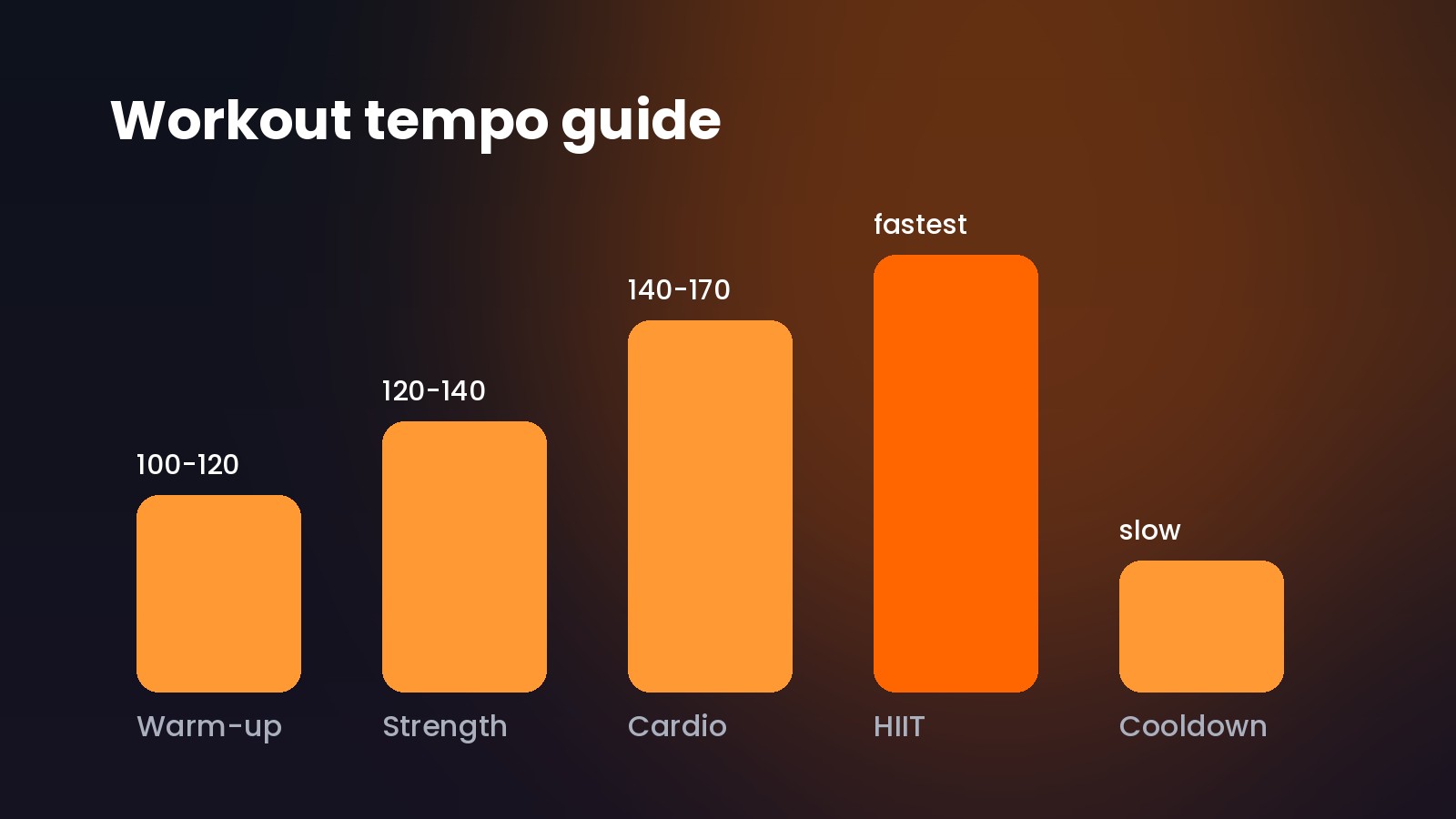
You don't need to be exact about tempo, but rough ranges help you sort tracks into the right phase. These are common starting points, not strict rules:
- Warm-up and mobility: relaxed tracks, often around 100 to 120 BPM.
- Strength training: heavy, steady beats, many people like 120 to 140 BPM.
- Running and cardio: energetic tracks that roughly match your step rate, often 140 to 170 BPM.
- HIIT and sprints: the fastest, loudest tracks you have, saved for the hardest intervals.
- Cooldown: slow, calm tracks to bring your heart rate down.
Many SoundCloud producers list the BPM in the track title or description, which makes sorting easy. Long DJ mixes are also great for steady cardio, since one file can cover a whole 60-minute run without any gaps.
Common SoundCloud Downloader Mistakes for Workout Mixes
A few small slip-ups cause most problems with workout mixes:
- Converting before listening. Save links to a SoundCloud playlist and listen through first. It's faster to cut a track before converting than after.
- Using short share links. Links from in-app share sheets sometimes don't paste cleanly. Copy the full address from the browser instead.
- Forgetting where files go. Check your browser's download settings so you know which folder to open on each device.
- Mixing up quality expectations. Converting can't make a track sound better than the version SoundCloud streams. If the artist offers an official download, that's usually the best copy.
- Skipping the airplane mode test. If a file only plays with a connection, it isn't really offline.
- Saving tracks you don't have permission to keep. Stick to artist-approved downloads, your own uploads, and tracks creators have shared with you.
Start Your SoundCloud to MP3 Workout Mix Today
An offline gym mix takes about half an hour to build the first time, and after that you'll just add a few fresh tracks each week. Plan the phases, pick tracks that match your pace, convert them, and test the mix in airplane mode. Then the only thing that can stop your set is you.
Ready to build yours? Paste a track link into the MusicVerter SoundCloud to MP3 converter and save your first workout track right in the browser. If you're turning a whole playlist of tracks you're allowed to keep into a mix, the SoundCloud playlist downloader handles it from one link.
SoundCloud to MP3 for Workouts: FAQ
Can I listen to SoundCloud offline at the gym without paying?
SoundCloud's built-in offline listening needs a Go or Go+ subscription. Without one, you can use the artist's download button when it's offered, or convert tracks you're allowed to keep into MP3 files with MusicVerter and play them in any music app.
Do I need to install an app to convert SoundCloud to MP3 for workouts?
No. MusicVerter is a browser tool, so you paste a link and save the file without installing anything on your phone or computer.
Can I put SoundCloud MP3 files on a fitness watch?
Many fitness watches let you add local music files through their companion app. Check your watch's instructions for supported formats. MP3 is widely supported.
How many tracks do I need for a one-hour workout mix?
Most tracks run three to five minutes, so 15 to 20 tracks usually covers an hour. One long DJ mix can also cover a full session on its own.
Can I convert a private SoundCloud track for my workout?
No. MusicVerter works with public tracks and doesn't get around private, restricted, or blocked content. If you'd like a private track, ask the creator to share it with you.
Will my workout MP3 files disappear if I sign out of SoundCloud?
No. Unlike tracks saved offline inside the SoundCloud app, MP3 files are stored on your device, so they stay put whether you're signed in or not.

About the Author


