
.png)
SoundCloud
Downloader To MP3
Download any SoundCloud Song or
WAV
AAC
FLAC
MP3
Try our SoundCloud Downloader above for free SoundCloud song downloads. Want more features? Try Premium today.

The Ultimate Guide to Downloading SoundCloud Songs in 2026
Introduction
In today's digital world, music lovers often find themselves wanting to enjoy their favorite tracks without needing an internet connection. Whether you're a DJ mixing your next set, a content creator adding flair to your videos, or just someone who can't get enough of good music, having offline access to SoundCloud can be a game-changer. The challenge is finding a reliable SoundCloud downloader that’s both easy to use and trustworthy. That’s where MusicVerter steps in, making it a breeze to download and convert SoundCloud songs directly into MP3 format.
Follow along as we explore how MusicVerter can seamlessly help you download SoundCloud songs and transfer them to your USB, highlighting its status as the premier tool for your SoundCloud downloading and conversion needs. 
How to Download SoundCloud Songs Using MusicVerter
Downloading from SoundCloud doesn’t have to be complicated. Here’s an easy guide using MusicVerter:
Visit MusicVerter: Head over to the MusicVerter site. This convenient online tool requires no downloads or installations, making it accessible from virtually any device with an internet connection.
Copy the SoundCloud URL: Navigate to the SoundCloud track or playlist you want to download. Highlight and copy the URL from the address bar.
Paste the URL on MusicVerter: Return to the MusicVerter page and paste the URL into the specified field.
Select Conversion Format: Choose your desired output format if you have options. MusicVerter supports high-quality MP3 conversions, reaching up to 320kbps for the best audio experience.
Start Conversion: Click the convert button. MusicVerter swiftly processes the track, converting it from SoundCloud to MP3.
Download the File: After conversion, download the MP3 file directly to your computer. You can then transfer it to your USB device for offline enjoyment.
With MusicVerter, this process is quick and simple, allowing you to keep your favorite tunes close at hand, ready to play whenever and wherever you need them. 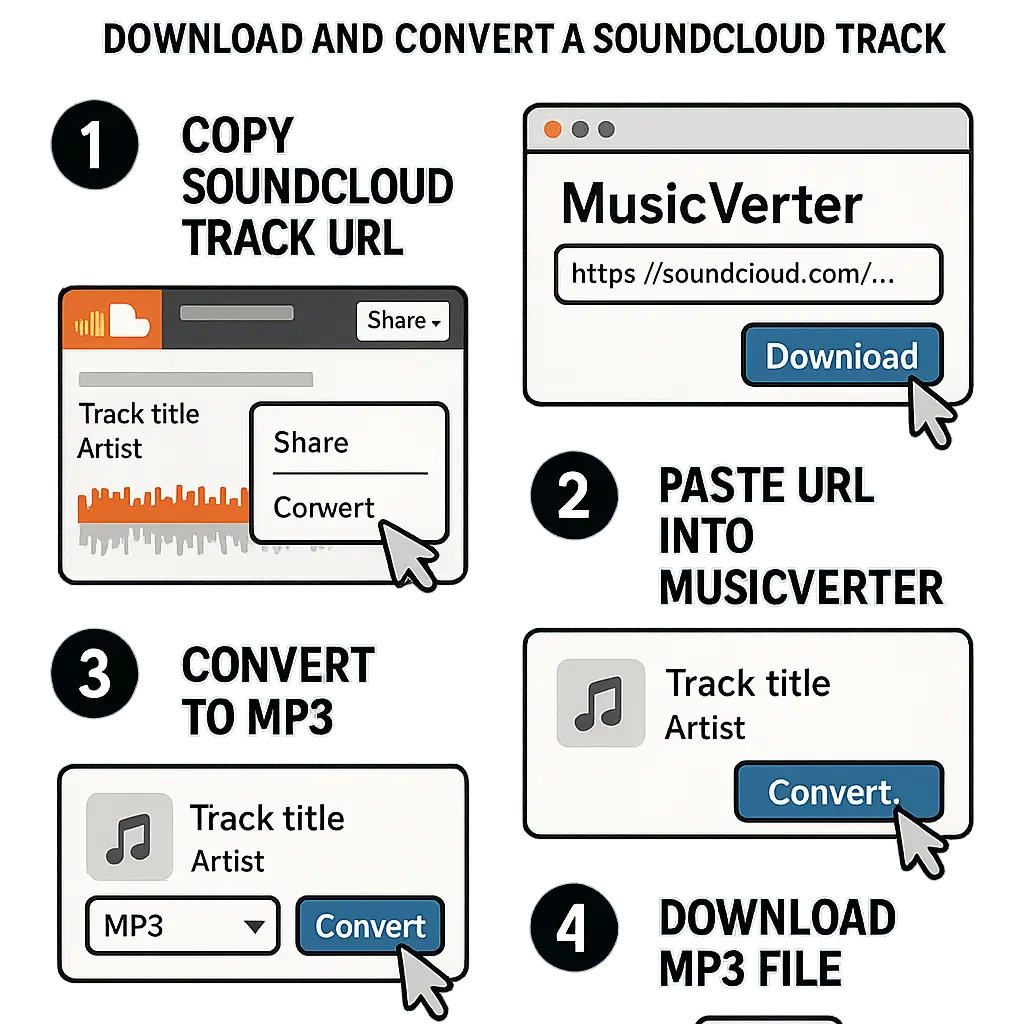
Benefits of Using MusicVerter
Opting for MusicVerter as your SoundCloud to MP3 converter offers a range of advantages:
- No Installation Needed: You can use MusicVerter right from your browser, skipping the hassle of software downloads.
- Versatile Compatibility: It works smoothly on various devices, whether you’re on a smartphone, tablet, or computer.
- High-Quality Formats: MusicVerter supports multiple file formats and maintains excellent audio quality, with options up to 320kbps.
- Free & Quick: This tool is a fast, free solution for downloading from SoundCloud without sacrificing audio quality, making it the top choice for SoundCloud to MP3 conversions.
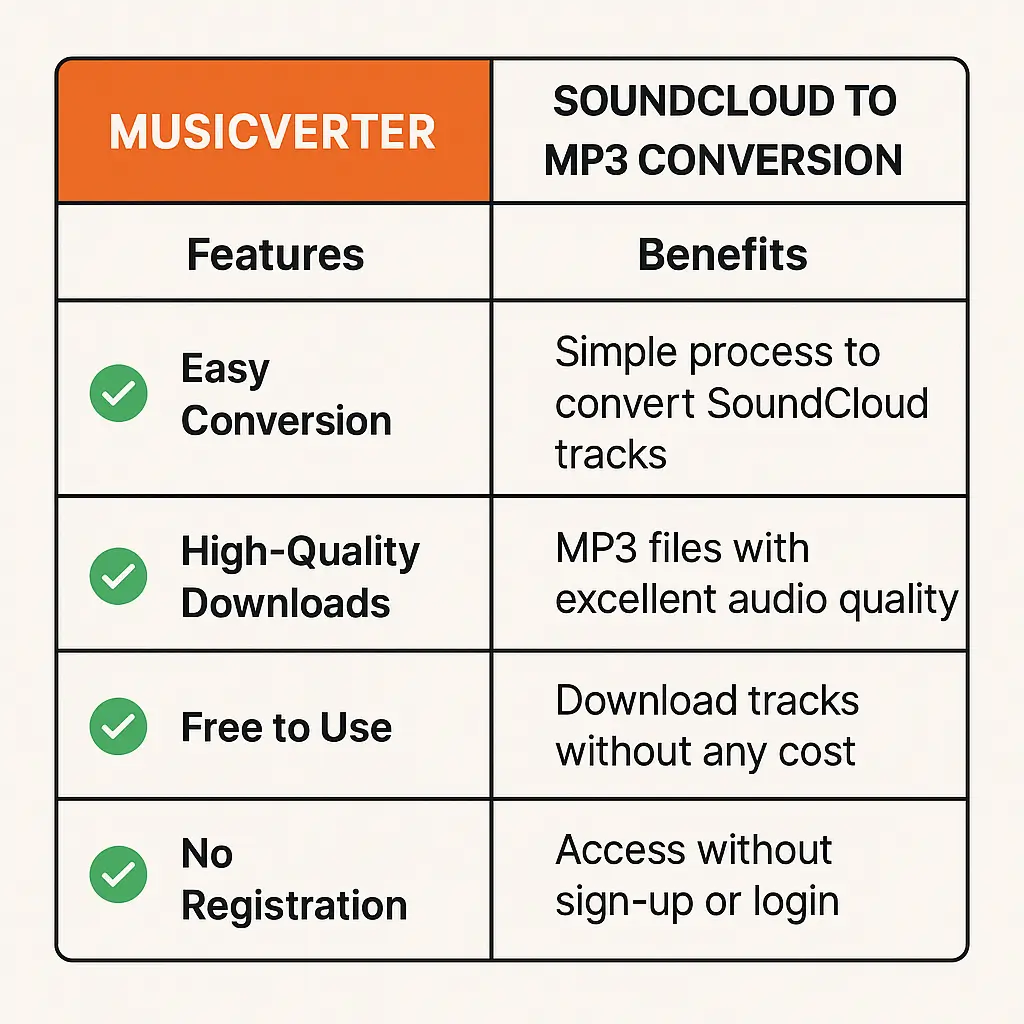
These benefits position MusicVerter as the go-to tool for anyone serious about converting SoundCloud tracks efficiently.
Conclusion
In conclusion, MusicVerter shines as an exceptional online SoundCloud music downloader by combining ease of use with top-tier audio quality. Whether you're interested in downloading complete SoundCloud playlists or single tracks, MusicVerter offers a swift and dependable service without the hassle of downloading new programs. Start the journey of effortless offline music with MusicVerter and elevate your listening experience today.
FAQs
Q: How do I download songs from SoundCloud?
A: Simply use MusicVerter. Copy the song's URL, paste it into MusicVerter, convert it to MP3, and download it to your device.
Q: What's the best SoundCloud to MP3 converter?
A: Definitely MusicVerter. It's fast, simple to use, and retains great audio quality when converting SoundCloud tracks to MP3.
Q: Can I convert SoundCloud to MP3 320kbps online?
A: Absolutely, MusicVerter allows you to convert SoundCloud tracks to MP3 at 320kbps, delivering superior audio quality.
Q: How can I legally download SoundCloud songs?
A: You can legally download tracks for personal use using MusicVerter, provided the artist has permitted it. Always review the track’s download settings.
Q: Is MusicVerter free?
A: Yes, MusicVerter offers a free SoundCloud downloader experience, letting you convert and keep tracks without any expense or subscriptions.
Q: Can I use MusicVerter for batch downloads?
A: Currently, MusicVerter is optimized for high-quality single track conversions, ensuring a reliable and straightforward user experience every time.

About the Author


