
.png)
SoundCloud
Downloader To MP3
Download any SoundCloud Song or
WAV
AAC
FLAC
MP3
Try our SoundCloud Downloader above for free SoundCloud song downloads. Want more features? Try Premium today.

The Ultimate Guide to Downloading and Converting SoundCloud Tracks with MusicVerter
Introduction
For all the music enthusiasts who turn to SoundCloud for discovering fresh tunes and indie hits, the lack of a built-in download option can be a bit of a letdown. Fortunately, MusicVerter steps in as your trusty ally. It’s the best SoundCloud to MP3 converter out there, making it a breeze to enjoy offline music. Whether it's converting SoundCloud audio to MP3 or OGG formats, MusicVerter ensures you have seamless access to your favorite sounds whenever and wherever you wish. Let’s dive into how you can take advantage of this powerful tool to expand your music library with ease.
How to Download SoundCloud Songs Using MusicVerter
Downloading tracks from SoundCloud is straightforward with MusicVerter at your fingertips. Here’s how to do it:
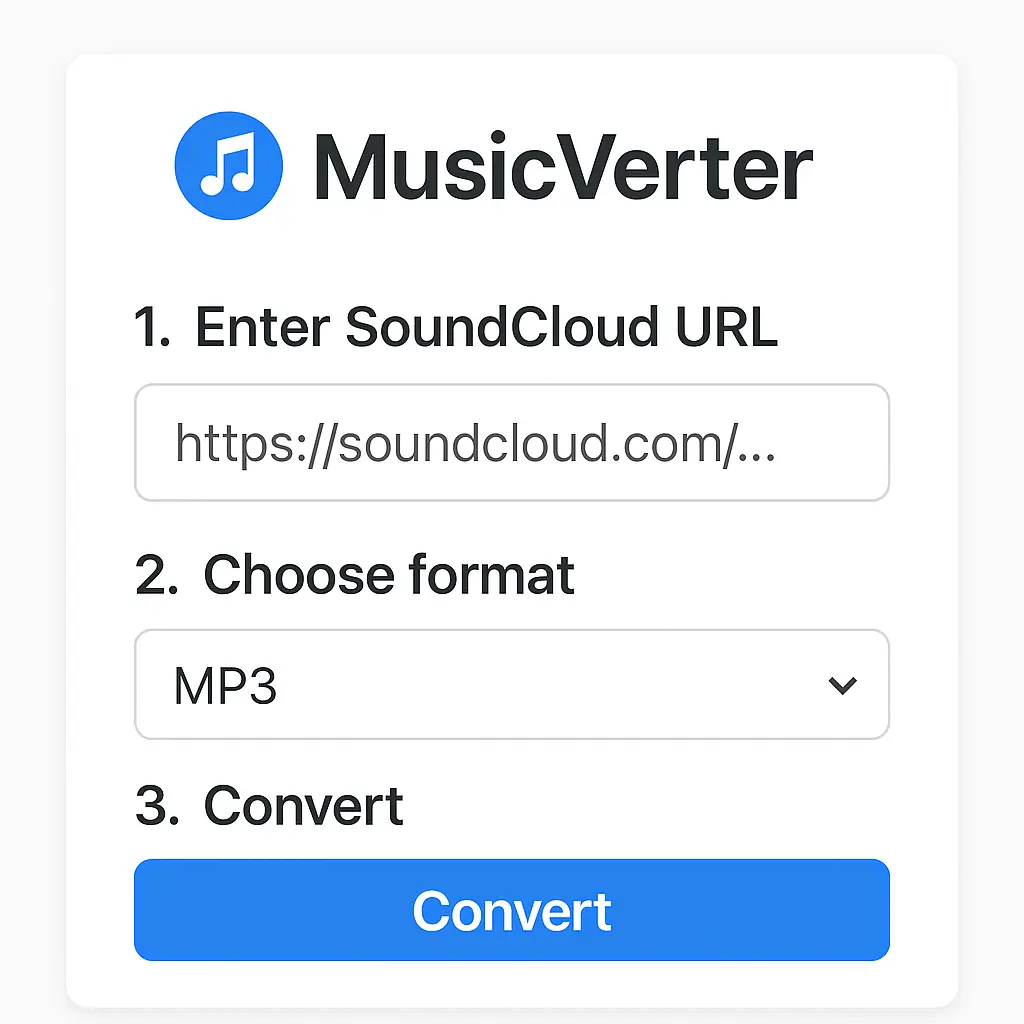
Find Your Track: Navigate to SoundCloud and choose the track or playlist you’re itching to download. Copy the track's URL directly from the address bar.
Visit MusicVerter: Head to MusicVerter's SoundCloud to MP3 page.
Enter the URL: Paste your copied SoundCloud link into the designated area on the MusicVerter site, then click ‘Convert’.
Choose Your Format: Decide between MP3 or OGG format, and if you want top-tier sound, select the option to convert SoundCloud to MP3 320kbps.
Start Downloading: Click the download button, and your track will be ready for offline listening in just moments.
With MusicVerter, grabbing entire SoundCloud playlists is just as easy, letting you curate your musical collection without a hitch.
How to Convert SoundCloud to MP3/OGG Formats
Turning your SoundCloud tracks into MP3 or OGG formats can enhance your listening experience significantly:
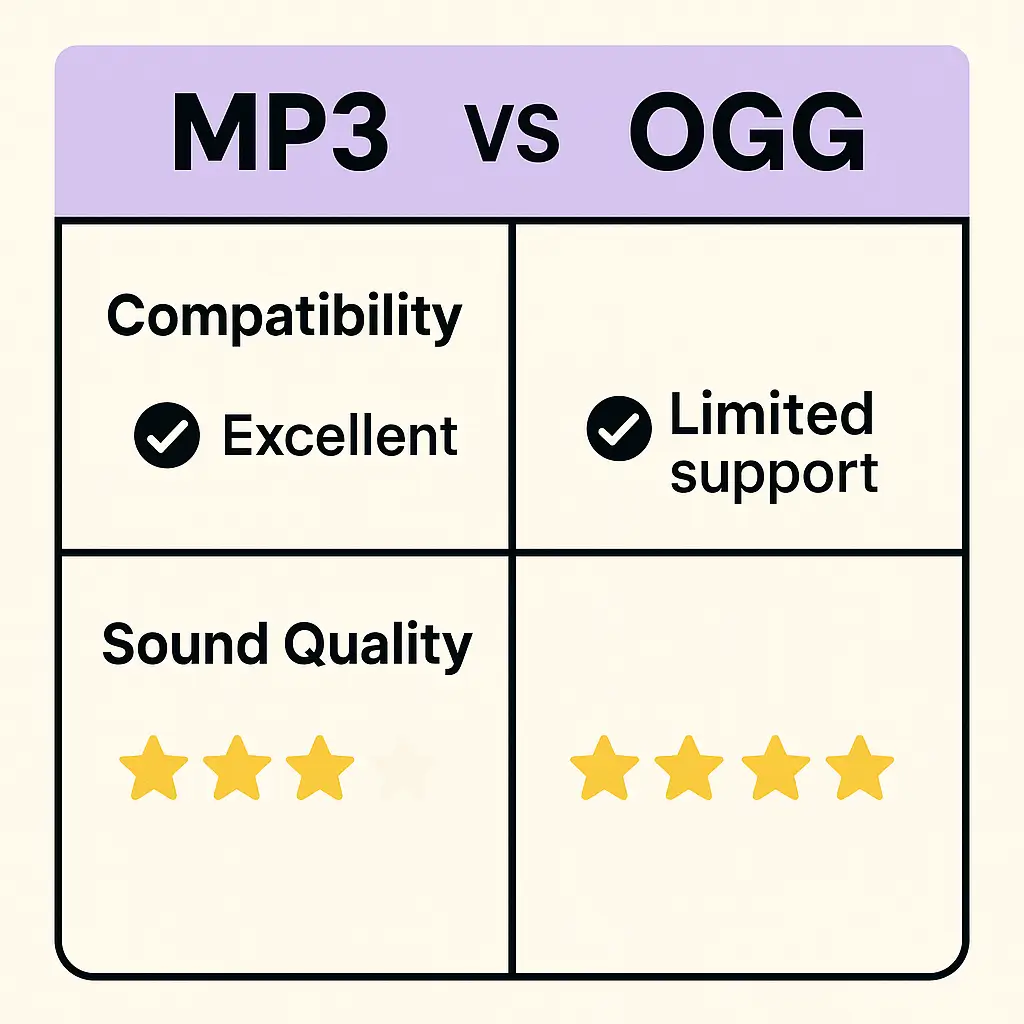
Wide Compatibility: MP3 is universally recognized, making it playable on virtually any device, from smartphones to laptops.
Superior Audio Quality: By opting for MP3 320kbps or OGG formats, you’re maximizing sound quality, ensuring that each note is crystal clear.
Space Efficiency: OGG files maintain excellent sound quality while being lighter on storage, ideal if space is tight on your device.
MusicVerter simplifies the conversion process, making it fast and reliable so you can enjoy your tunes with no fuss.
Benefits of Using MusicVerter
What makes MusicVerter the top pick for downloading from SoundCloud? Here are a few key features:
Completely Free: You won't have to spend a dime—enjoy all its powerful functionalities entirely at no cost.
Swift and Efficient: Enjoy rapid downloads and conversions, saving you time while maintaining high quality.
Intuitive Interface: Designed with every user in mind, MusicVerter offers an experience that’s both smooth and accessible for everyone from beginners to tech enthusiasts.
With these benefits, MusicVerter proves to be an unmatched tool for your SoundCloud downloading and converting needs.
Conclusion
MusicVerter shines as the premier choice for those looking to convert and download from SoundCloud, offering a free, fast, and user-friendly solution. Whether you're eager to download tracks for offline enjoyment or need to convert SoundCloud to MP3 320kbps, MusicVerter is your go-to resource. Check out MusicVerter today and take charge of your music collection with ease and efficiency.
FAQs
Q: How do I download songs from SoundCloud?
A: To save a song from SoundCloud, simply use MusicVerter. Just copy the song's URL, paste it into MusicVerter, and press 'Convert' to download.
Q: What's the best SoundCloud to MP3 converter?
A: MusicVerter is a standout choice for converting SoundCloud to MP3. It's known for its reliability, speed, and cost-free access, making it the top option in 2026.
Q: Can I convert SoundCloud to MP3 320kbps online?
A: Absolutely, with MusicVerter you can easily convert SoundCloud tracks to MP3 320kbps, delivering superior sound quality for your offline music enjoyment.

About the Author


